Play in your browser
Little Relief
Ten rooms. A little release.
Explore, click, and play
Interactive web design, Unity games, and TouchDesigner environments.
Ten rooms. A little release.
An unruly little storefront.
Press a key. Change the world.
A place to wander.
A small burst of energy.
A waiting room with no clear start.
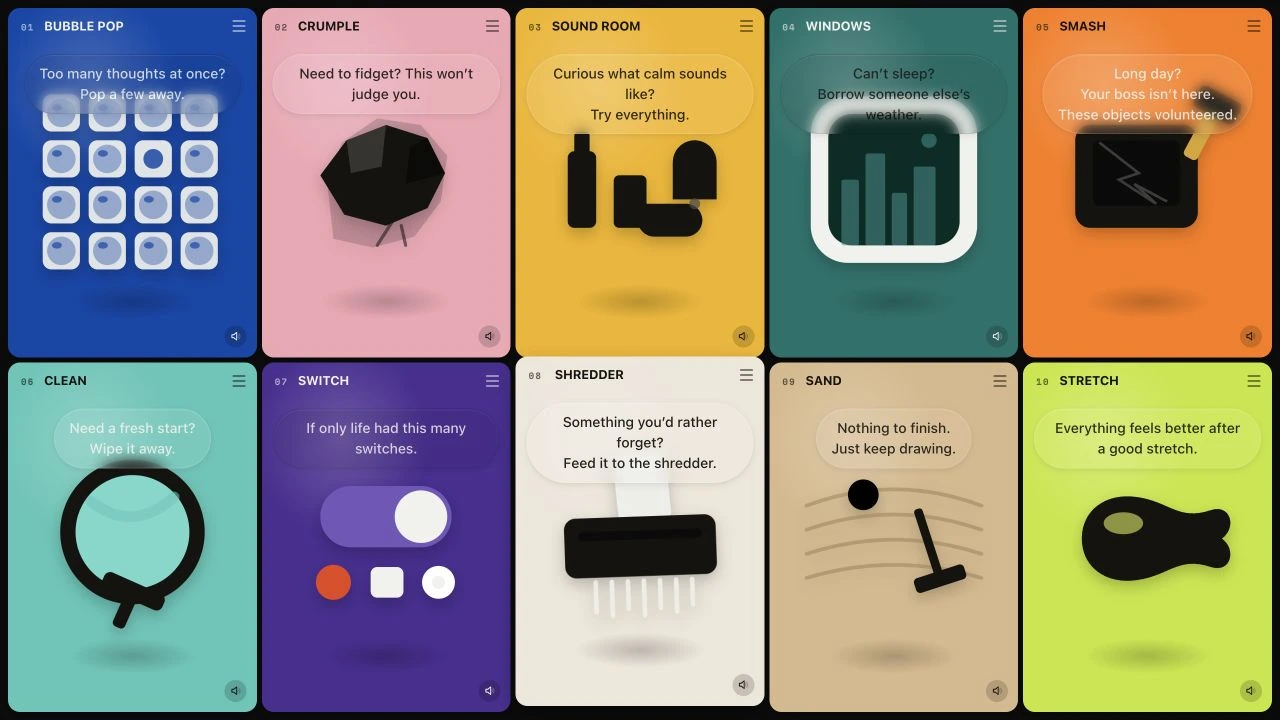
Ten small rooms built around familiar gestures: pop, crumple, wipe, switch, stretch. Sound and tactile visual feedback turn simple actions into playful browser interactions.
A browser study in tactile feedback, visual character, and sensory play.
Each room centers on one oversized object and one familiar action: pop bubble wrap, crumple a sheet, explore material sounds, open ambient windows, smash objects, or wipe a surface. Sound and visual feedback make the action feel immediate.
One room. One object. One feeling. A shared structure keeps navigation simple, while color, scale, and typography give each room its own character. Short contextual messages invite exploration instead of prescribing a correct outcome.
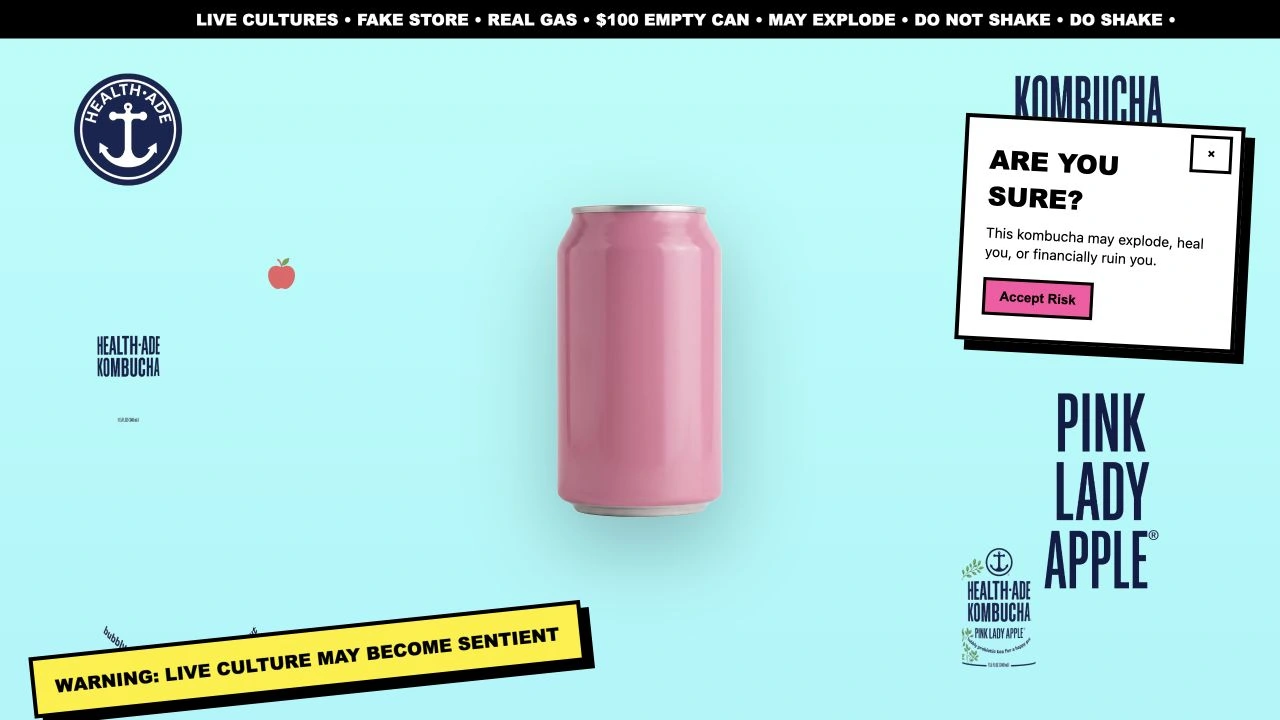
An experimental website inspired by MSCHF and Health-Ade kombucha. Visitors rearrange packaging, discover stories about the drink, and explore a deliberately absurd can store.
A browser experiment in persuasion, absurdity, and the behaviors we accept from online stores.
Drag the packaging elements around the screen. As you scroll, the pieces assemble into a can. Hovering reveals story cards drawn from customer discussions; further down, a mock store presents empty, damaged, and unusual cans.
I used packaging graphics, exaggerated warnings, and unexpected product listings to turn browsing into play. The shopping cart belongs to the prototype; the site is not a real store.
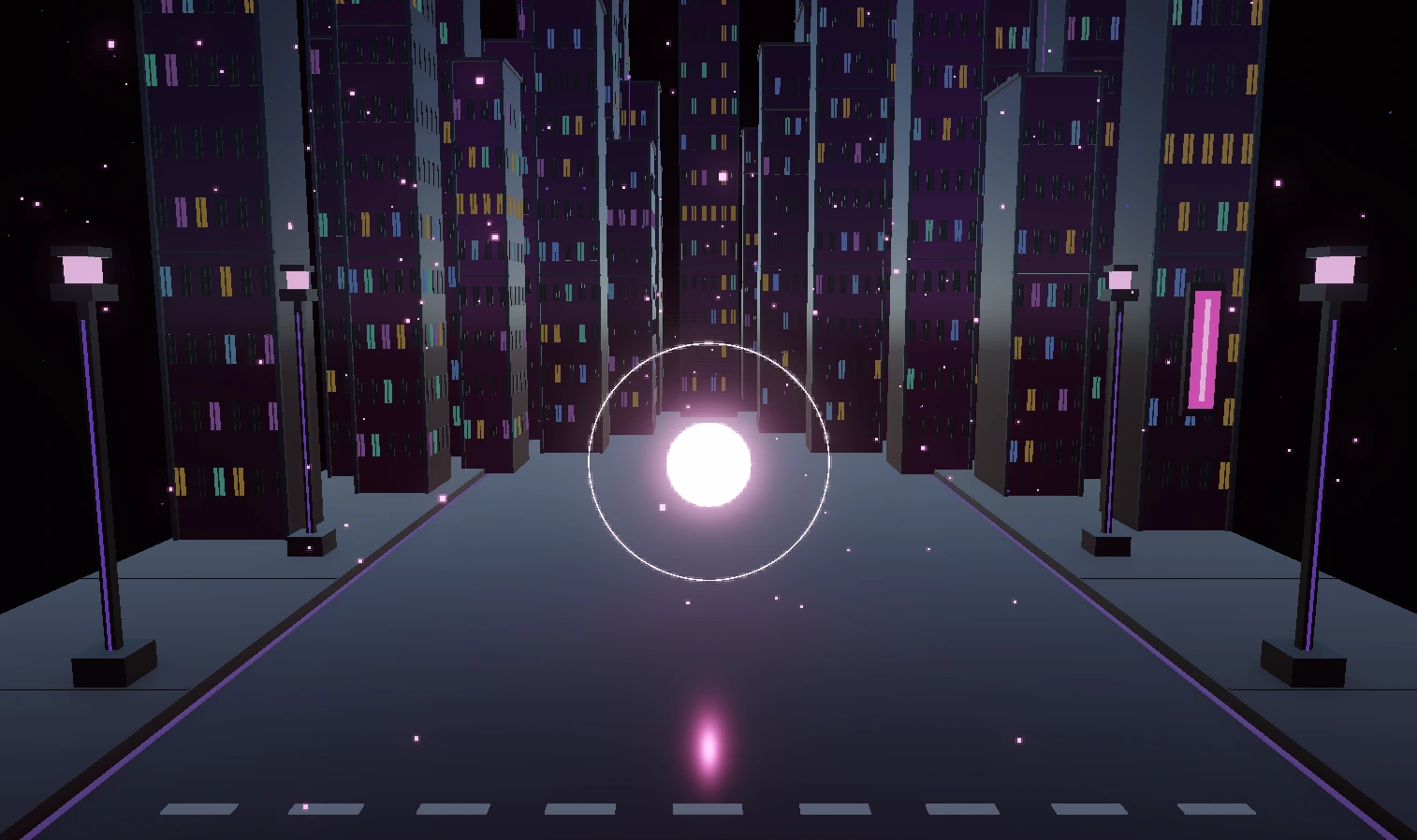
A glowing energy core within a night-time street. Keyboard input sends color changes, particle bursts, and chromatic effects through a real-time environment.
A study in scene composition, visual response, and hands-on creative technology.
Keyboard input changes the energy core’s color and triggers particle bursts and chromatic effects in a night-time street. The glowing center gives each response a clear focus within the scene.
This Unity experiment explores how lighting, environment, and visual feedback work together. The emphasis is on making an input feel present in a space, rather than adding a complex interface around it.
A keyboard-controlled TouchDesigner environment built around a glowing orb. A familiar scene opens into a different visual state when a wave expands from its center, then returns when the wave is recalled.
Three environments, with two color treatments for the forest. The four loops below show each starting state and its F-triggered transformation.
B switches between forest, dream arcade, and DJ room. C changes the forest’s blue and sunset palette. F expands a wave from the orb, then recalls it; in the DJ room, it also starts and stops music. R resets the scene.
The orb creates a consistent point of interaction across different environments. A gradual outward transition makes the change feel spatial: the scene opens from its center instead of switching abruptly. The recordings are muted so visitors can explore the visuals without unexpected sound.
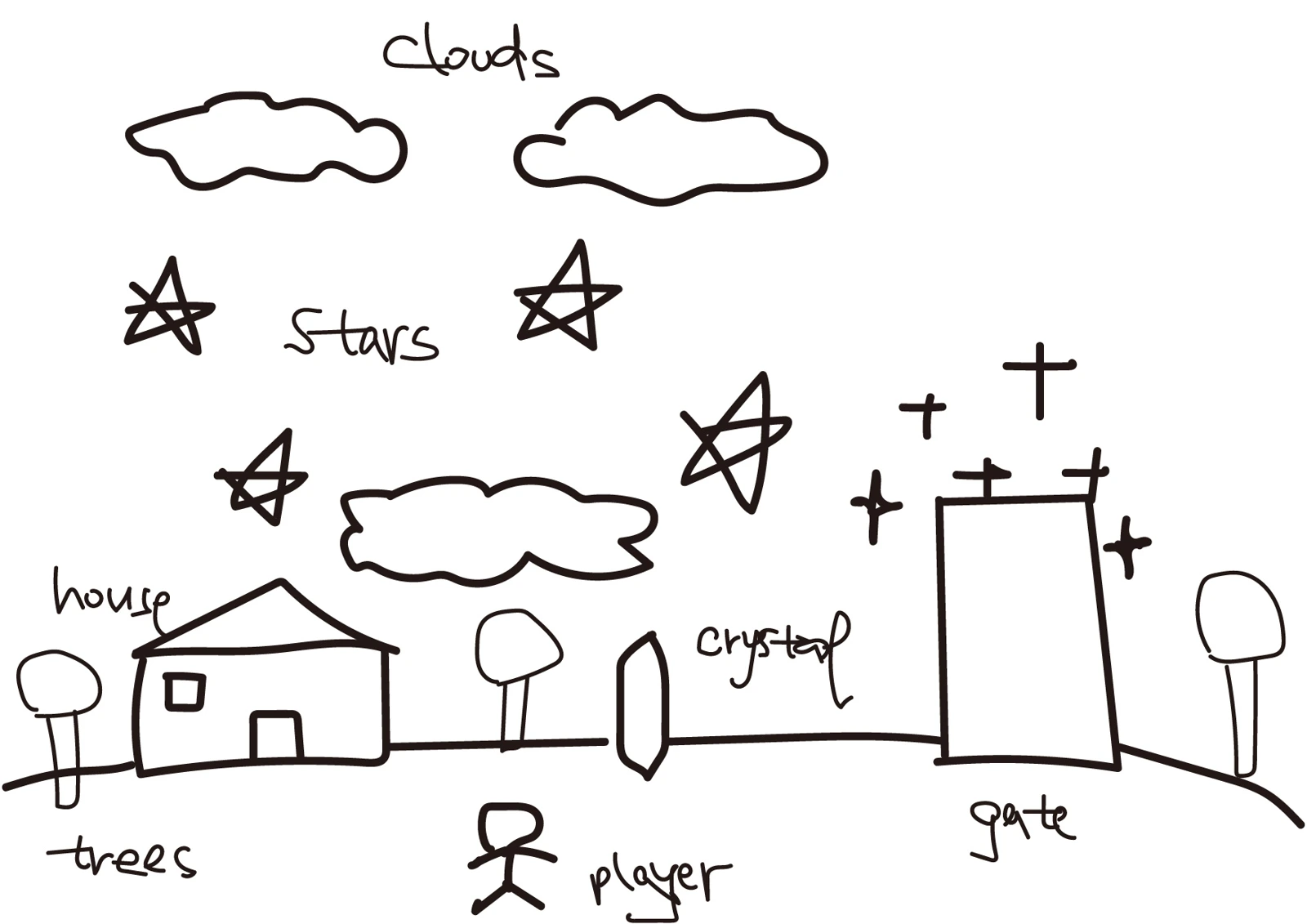
A small exploration game set on a floating island. Collect five stars to reveal the rainbow gate. Clouds act as bouncing platforms, and touching a crystal launches the player upward.
An earlier study in world-building, environmental storytelling, and simple game interactions.
The full gameplay recording, from exploration to the rainbow gate.
A small house, clouds, stars, trees, a crystal, and a gate form the original world sketch. In Unity, these become a space to explore: collect five stars to reveal the gate, bounce on clouds, and discover the crystal’s upward launch.
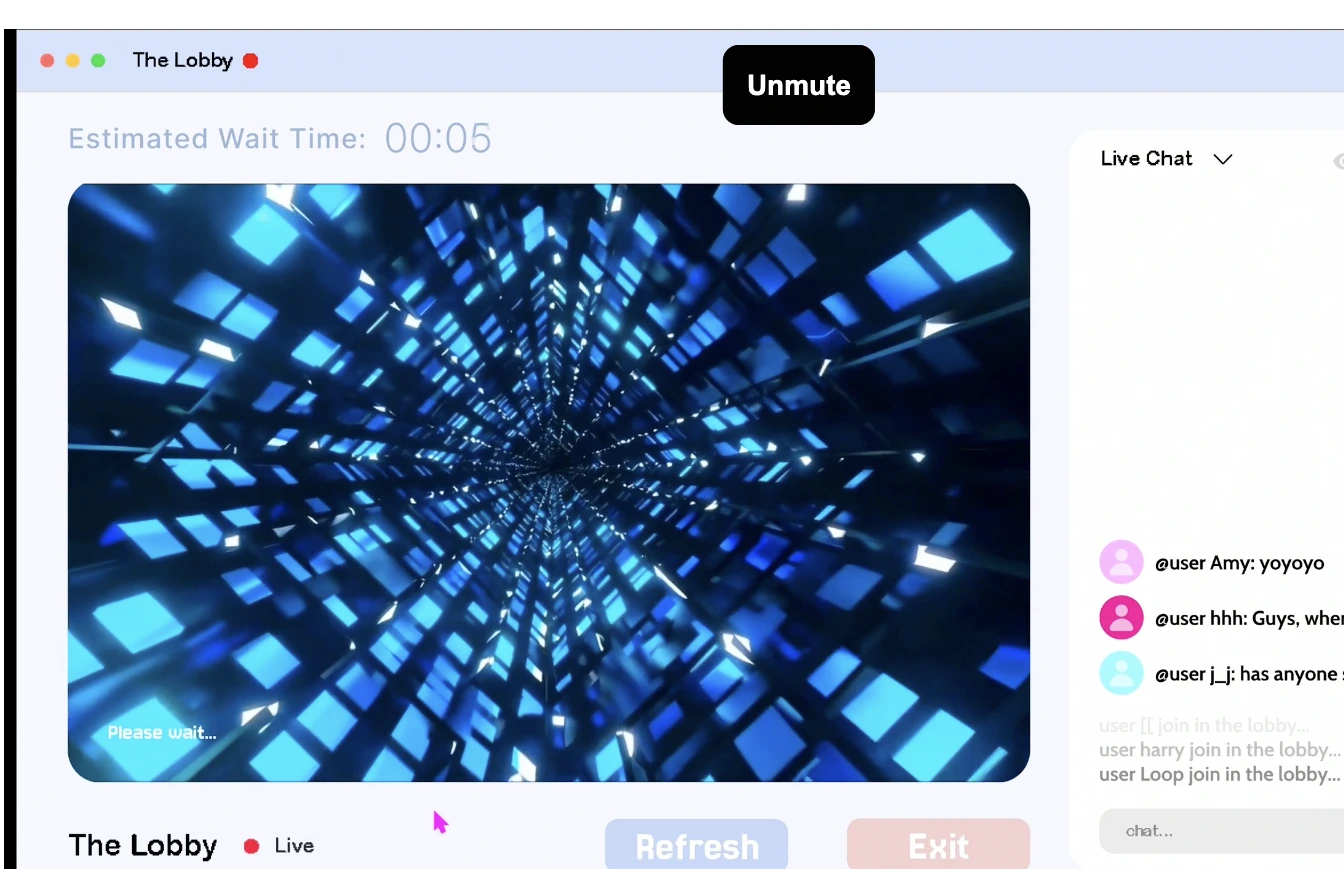
A Figma prototype that turns online waiting into a shared digital place. Inspired by livestream waiting rooms, queues, and loading screens, the lobby keeps visitors in an ongoing pre-start state.
View on Vimeo ↗Chat, timers, system messages, and interface glitches shape the waiting room. The prototype explores how delayed, unpredictable, or absent responses change a visitor’s expectations.
What happens when waiting becomes the destination? The project asks how digital interfaces shape anticipation and a sense of control. The video shows a walkthrough of the Figma prototype.